
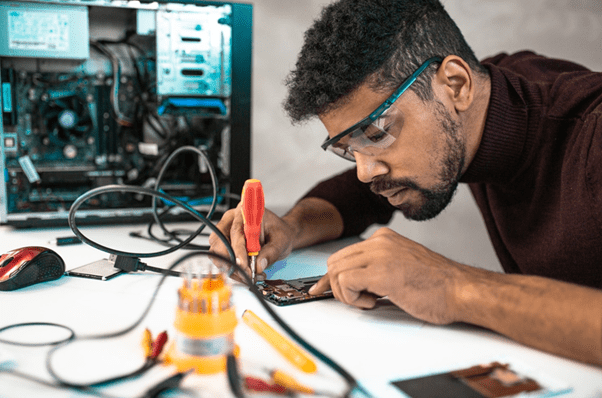
Ever wait forever for your PC to start while your coffee cooled? You’re not alone. Many across the U.S. deal with this daily, sluggish PCs that make simple jobs drag. Be it for work, school, or personal tasks, a slow PC wastes time and drains energy.
Even worse? You call a technician, and they fix it quickly, but won’t say how. Next time, you’re lost again. This guide shows you how to repair slow PC in ways technicians rarely share.
The Real Reason Your PC is Slowing Down
Before fixing, find what’s wrong. Slow PCs usually suffer from:
- Unwanted programs
- Not enough memory
- Outdated or corrupt files
Even new PCs slow down with too many pre-installed apps. In offices, this problem doubles. More users, heavy apps, and weak upkeep make systems lag.
Now, here’s the real shocker: a study shows that the demand for AI-ready data center capacity in the U.S. is projected to rise at an average rate of 33% annually between 2023 and 2030. That means more load on your system. If your PC isn’t ready, it slows down.
Let’s fix that.
Stop Unwanted Startup Programs
When your PC starts, many apps load in the background. They eat up memory silently. The first step to repair slow PC is to cut it.
Open Task Manager. Go to Startup tab. Turn off apps you don’t use right away. This won’t delete them.
This easy step often speeds things up. If you’re in Monroe, a local PC repair Monroe tech can help. But you can do it alone.
Clear Up Disk Space Without Losing Data
Full storage doesn’t just keep you from saving files. It chokes your system. Your PC needs free space to operate efficiently.
Here’s what to delete:
- Temporary files
- System logs
- Recycle Bin items
- Duplicate downloads
To clear it, go to Windows Settings > System > Storage. Use the built-in tool called “Storage Sense.”
Want to go deeper? Use tools like CCleaner, but avoid third-party apps you don’t recognize. Many of them slow your PC instead of helping.
Make it a habit every month. And yes, this step alone can help repair slow PC in more than 40% of cases.
Don’t Ignore Regular Updates
Let’s be honest — most people hate updates. They take time, need reboots, and sometimes break stuff. But skipping updates leaves your system vulnerable and slow.
Windows updates often fix bugs, close security holes, and optimize performance. Outdated drivers or a buggy system can drag even the best computers down.
Set updates to install during non-working hours. That way, your workflow won’t get hit. Updated systems run smoother and crash less.
Yes, another way to repair slow PC is as boring as clicking “Update Now.” But it works.
Run a Deep Malware Scan
Viruses and malware don’t just steal data. They eat resources like RAM and CPU in silence. A clean-looking computer might be infected. Don’t rely only on Windows Defender.
Use tools like:
- Malwarebytes
- Bitdefender
- Kaspersky Scanner (free version works too)
Run full scans weekly. This is your digital hygiene check. If malware is causing slowness, your PC might suddenly get fast after cleaning it. Simple, but powerful.
Don’t wait until files disappear or browsers get hijacked. Preventive action is how you repair slow PC and keep it fast.
Upgrade RAM and SSD for Performance
If your PC is older than 3 years, no cleaning tool or update will save it if the hardware can’t keep up.
Here’s a quick chart to help you decide:
| Problem | Possible Fix | Worth It? |
| Apps freezing or crashing | RAM upgrade (8GB+) | Yes |
| Slow startup | Switch to SSD | 100% Yes |
| Noise or overheating | Clean fans & vents | Yes, easy fix |
| Browser lag | More RAM or SSD | Yes, combo upgrade |
Adding more RAM or replacing your old hard drive with an SSD is the best hardware investment you can make. It’s cheaper than buying a new PC and doubles the speed in most cases.
Ask for help from local tech pros if you don’t feel confident doing it yourself.
Optimize Browser and Extensions
Many users forget the browser is a huge memory hog. Chrome, Firefox, and Edge all use multiple background processes. Tabs left open, auto-play videos, and dozens of extensions can slow things to a crawl.
To fix it:
- Limit tabs
- Remove unused extensions
- Clear browser cache
- Disable auto-play features
Browser cleaning once a week is enough. And trust this, if your internet feels slow, this is usually the reason. A well-optimized browser helps repair slow PC from the inside out.
Don’t Multitask Too Much
Multitasking sounds like a strength, but if your PC is older or only has 4GB RAM, it hurts more than helps. Running Excel, Zoom, Outlook, music apps, and several browser tabs at once will slow it all down. This is one big reason PCs crawl.
So do this:
- Run only a few apps at once
- Use Task Manager to shut down what you don’t need
- Restart your PC daily
Freeing up memory gives your machine space to breathe. Forcing too much at once clogs it up. One step at a time helps to repair slow PC better than overloading it.
Backup, Then Do a Fresh Reinstall
If everything fails, there’s still one solution left. Wipe the system and start fresh. This works wonders. Most slow PC issues vanish after a clean reinstall of the operating system.
But before that, backup your files:
- Use OneDrive, Google Drive, or an external hard drive
- Export browser bookmarks
- Save passwords and app keys
Then reinstall Windows. Use Microsoft’s official tool for this. After that, install only what you need. Don’t install apps just because they look useful. Less is more.
This is the nuclear fix to repair slow PC, but it’s effective.
Final Thoughts
You shouldn’t have to beg your computer to load a spreadsheet or open your inbox. It’s your tool, not your boss. Whether you’re a student, a small business owner, or running a team, a fast computer means smoother work, fewer delays, and less stress.
If you’re tired of being stuck with a slow machine, we can help. At Computer Doc NC, we don’t just fix problems, we prevent them. From hardware upgrades to proactive IT solutions, we’re here to keep you running fast.
Want to finally learn how to repair slow PC? Let us take care of it. Call or message us now.